Prerequisites
Gearing Up for HomeKey-ESP32
Before you embark on your HomeKey-ESP32 journey, let’s make sure you have the necessary tools and hardware. Think of this as gathering your essentials before a grand adventure! Having these prerequisites in place will ensure a smooth and hassle-free experience.
1. Essential Software
1.1. esptool
You have two options for esptool to flash the firmware onto your ESP32:
- What it is: A command-line utility from Espressif for flashing firmware.
- Why you need it: To get the HomeKey-ESP32 firmware onto your device.
- How to get it:
- Download from esptool.py GitHub Releases
- Or install via pip:
pip install esptool
1.2. Python 3.x (Only if using esptool.py)
- What it is: A versatile programming language.
- Why you need it: If you choose to use the command-line
esptool.py, you’ll need a compatible Python installation for it to run correctly on your system. - How to get it: Python usually comes pre-installed on Linux and macOS. For Windows, or if you need a specific version:
2. Hardware You’ll Need
Tip
Avoid powering from a MacBook as they can sometimes not supply enough current to this kind of devices and can result in unexpected behavior of the ESP32 and/or NFC module.
The required hardware can be obtained either by sourcing all the parts yourself or by using an integrated PCB that has it all on a single board.
2.1. Option A - Sourcing parts yourself
Tip
It’s recommended to solder the wires if you can, as DuPont connectors may cause connectivity issues.
2.1.1. ESP32 Development Board
- What it is: The brain of your HomeKey-ESP32 device! A microcontroller board with Wi-Fi and Bluetooth capabilities.
- Why you need it: This is where our HomeKey magic lives.
- Recommendation: Look for a board with an ESP32-C6, however, other ESP32 development boards should also work fine, precompiled firmware is being released for ESP32, ESP32-S3, ESP32-C3, or ESP32-C6.
ESP32 Buyer’s Guide
Note
For the best performance, search for one of the newer variants e.g. ESP32-C6 or ESP32-S3.
Generally, any board should be fine. However, some may have non-genuine modules or just cheap flash chips with low endurance. There is no real way of telling which is the better clone. Genuine modules typically have “ESPRESSIF” etched on the metal casing.
Tip
Genuine development boards can be ordered from major distributors like Mouser or Digikey, though it’s pricey compared to something like AliExpress.
2.1.2. NFC Reader Modules (PN532, PN7161 and ST25R3916)
HomeKey-ESP32 supports PN532, PN7161, and ST25R3916 NFC controllers.
PN532:
- Interface: SPI protocol.
- Recommendation: Ensure you have a PN532 module that supports SPI communication (for red Elechouse boards/clones, DIP switches must be set to
0and1). - Avoid long jumper wires between the module and ESP32 to maintain signal integrity.
PN7161:
- Interface: SPI protocol with dedicated IRQ (Interrupt Request) and VEN (Enable/Reset) control pins.
- Features: Enhanced Contactless Polling (ECP) support, fast tag discovery, integrated presence checks for non ISO-DEP cards, and reliable hardware performance.
- PN7161 has native ECP support and that is how ECP is implemented on this firmware for it, however, currently there’s no fallback implemented for PN7160 which doesn’t has native ECP support.
ST25R3916:
- Interface: I2C protocol
Choosing Your NFC Module: A Mini Buyer’s Guide
Note
The information given here won’t guarantee that what you buy will be 100% without issues but aims to guide you toward a better part.
Tip
Boards costing around 4-5€ or less are likely using non-genuine ICs. These boards will still work but expect worse performance.
When shopping for a PN532, check boards with blueish components instead of black ones. Those blueish components are Wire-wound RF inductors that provide superior antenna impedance matching, ensuring efficient power transfer to the antenna.
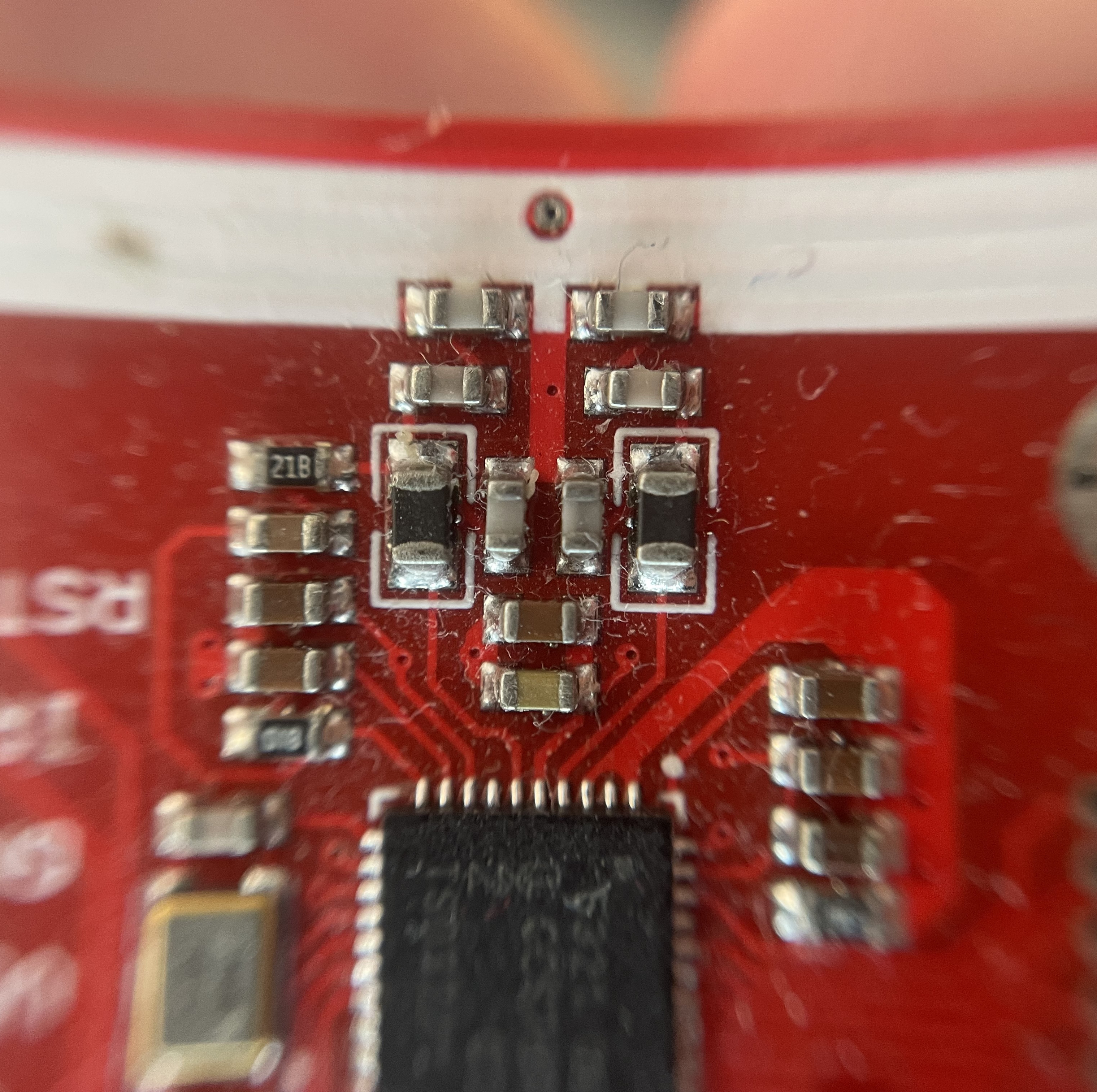
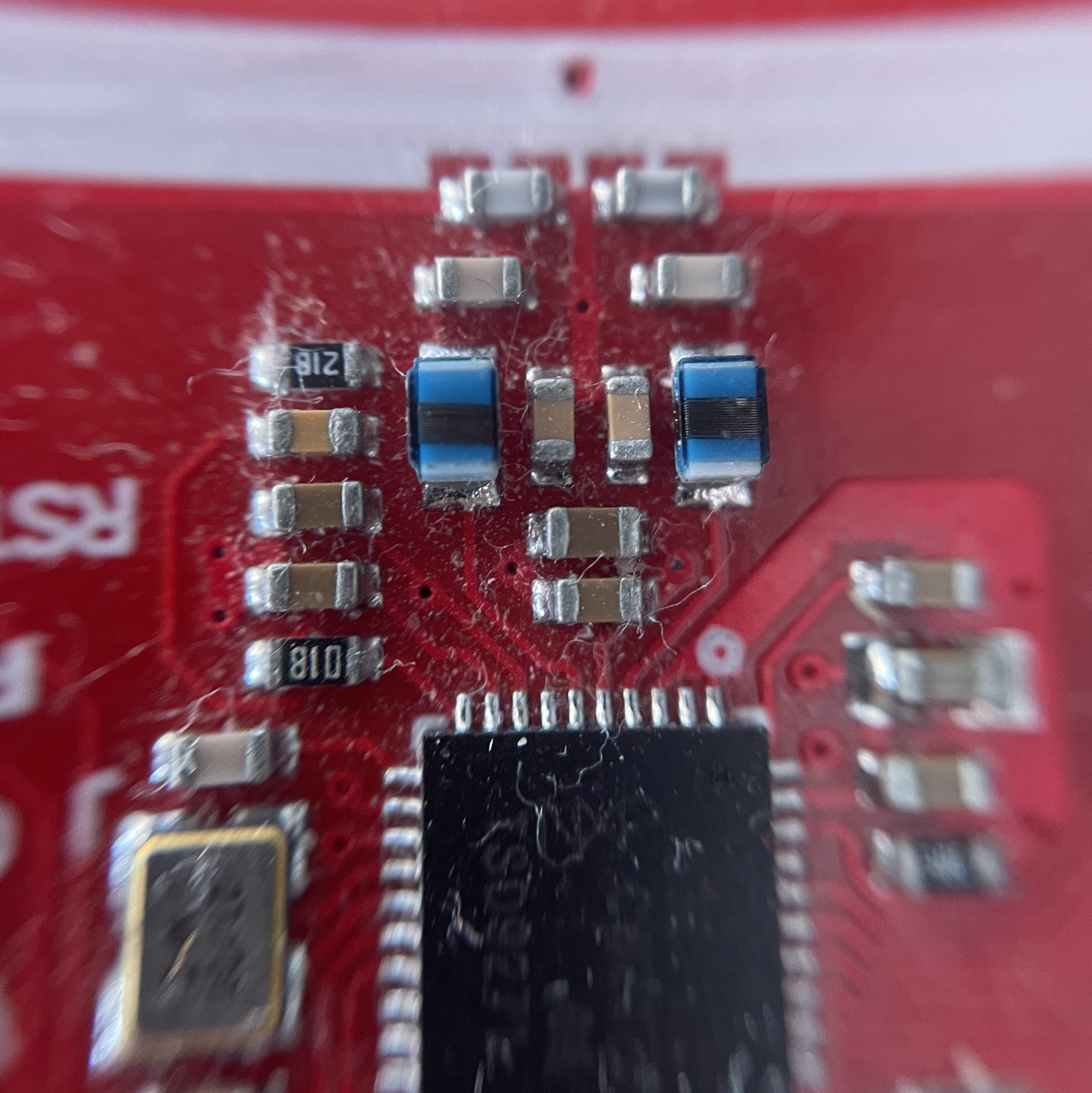
You can also buy from Elechouse for best quality (original red board designer) on their official website.
2.2. Option B - Integrated PCB Boards
- What they are: Custom-designed Printed Circuit Boards. These boards integrate the ESP32 and NFC module, along with other necessary components, into a single, compact solution.
- Why you need them: Using an integrated PCB can significantly simplify wiring, reduce clutter, and result in a more robust and professional-looking final product.
- Where you can find one:
- @lollokara’s PCB: Features external NFC antenna, RGB LED, and 48V input (alongside USB-C). Available on GitHub or PCBWay.
- There’s two disconnected pads on the top left to the right of the USB-C that need to be soldered(pad bottom-left SEL1 and pad top-right SEL0) to select SPI mode but a manufacturer like PCBWay can handle this, however, they can sometimes misinterpret, so be prepared to put some solder.
- CASmo-NFC: Features an integrated NFC Antenna. Manufacturer is located in Germany. Can be ordered from their website.
- CASmo-NFC-MB-ETH: Features an external NFC antenna, Ethernet port and can powered through USB-C, PoE or 5–24V AC/DC, additionally includes a 5A potential-free relay. Can be ordered from the manufacturer’s website.
- @lollokara’s PCB: Features external NFC antenna, RGB LED, and 48V input (alongside USB-C). Available on GitHub or PCBWay.
Note
The project and its owner are not affiliated with the aforementioned products nor with their designer/manufacturer or any relevant party, this section is only meant to list solutions and to praise community efforts.
2.3. Option C - M5Stack AtomS3 Lite + Unit NFC
The ST25R3916 backend was developed against an M5Stack pairing that needs no soldering, breadboard or jumper wires - the two parts connect with the supplied Grove cable:
| Part | Notes |
|---|---|
| M5Stack AtomS3 Lite | ESP32-S3, 8 MB flash, USB-C, RGB status LED on GPIO 35 |
| M5Stack Unit NFC (ST25R3916) | I2C address 0x50, HY2.0-4P Grove connector |
Configuration in the web UI:
| Setting | Value |
|---|---|
| Reader Type | ST25R3916 (I2C) |
| SDA Pin | 2 |
| SCL Pin | 1 |
| NeoPixel Pin (optional) | 35, type GRB - gives tap/success/failure feedback |
Measured on this hardware: full FAST-flow authentication in 130-160 ms.
Note
For developers: The Grove connector does not break out the ST25R3916 IRQ pin, so the driver polls the interrupt status registers over I2C instead. Hardware I2C at 400 kHz is required - M5Stack documents that SoftwareI2C latency is too high for the chip’s RF timing.